Know how many parts are in every bin, in real time.

A scale under each bin counts what is inside and reports stock levels to your screen. No counting, no scanning, no stocktake.
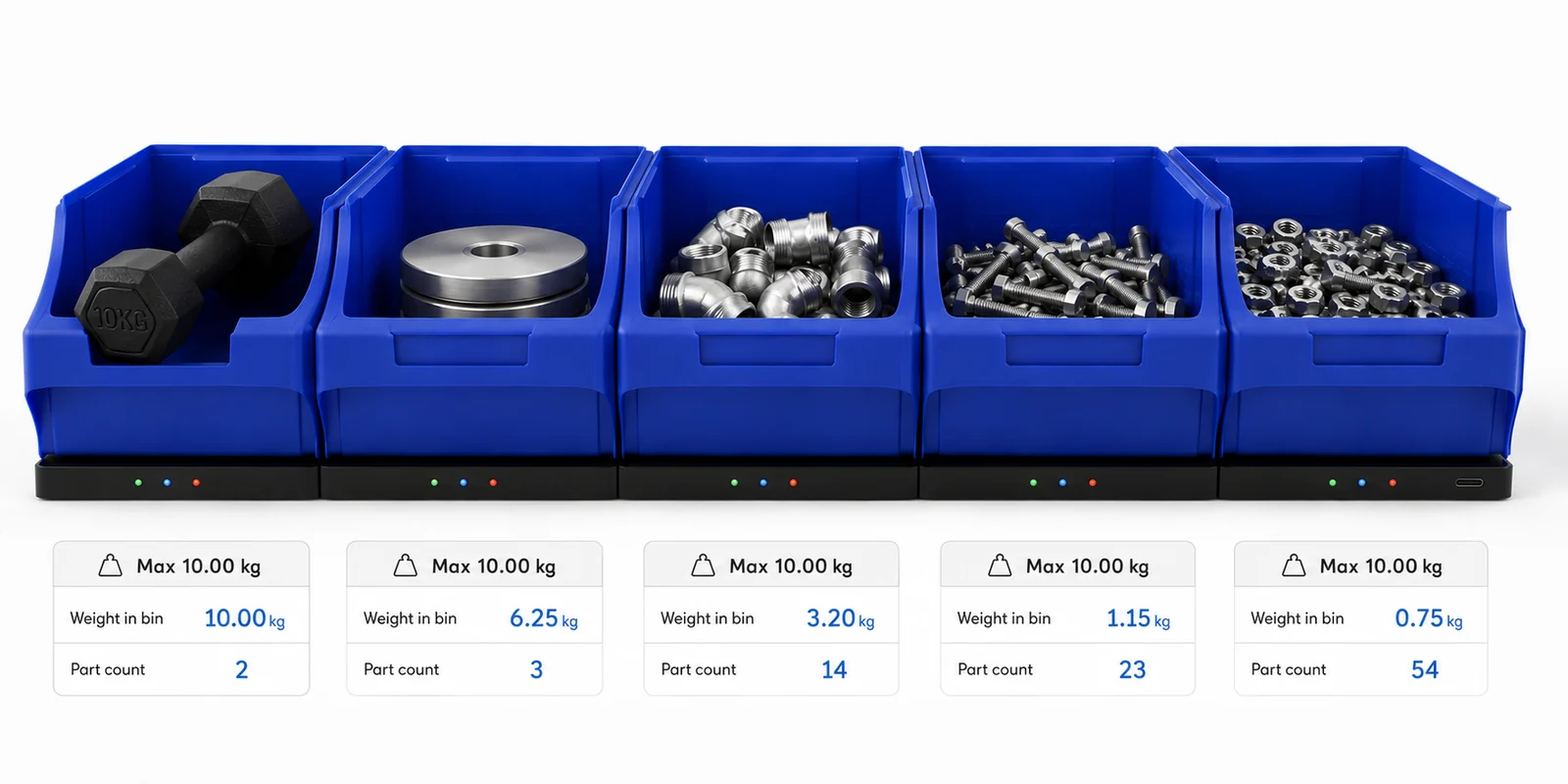
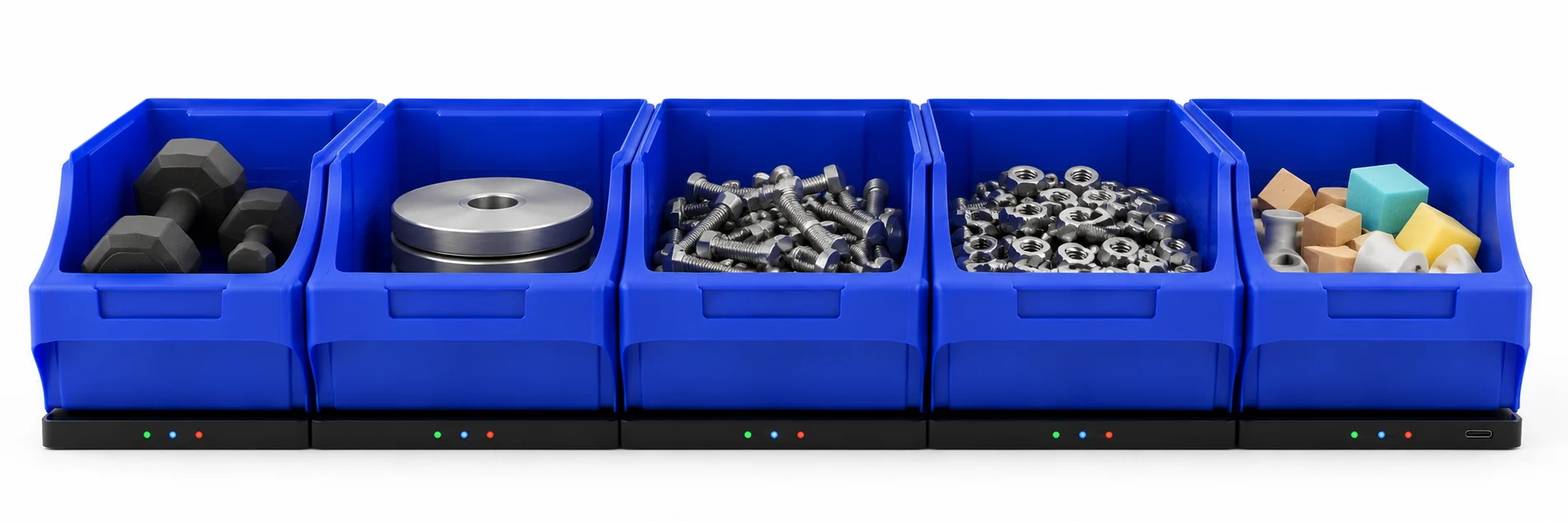
Five bins on scales, each showing weight and part count on screen
What changes

Install the scales. Stop counting.

Stock levels always current

Every bin reports how many parts are inside. The count updates as parts are taken and returned — no manual input needed.

Low bins flagged early

Set a minimum for each bin. When stock drops below it, the bin is flagged and the people who order parts know before the line stops.

No more stocktakes

The count for every bin is always current, so there is nothing to reconcile. The quarterly count that takes two people off the floor goes away.

ERP updated automatically

Bin counts push straight to your inventory system. Stock records stay accurate without anyone re-keying numbers from a clipboard.

How it works

Step 01

Connect the scales together.

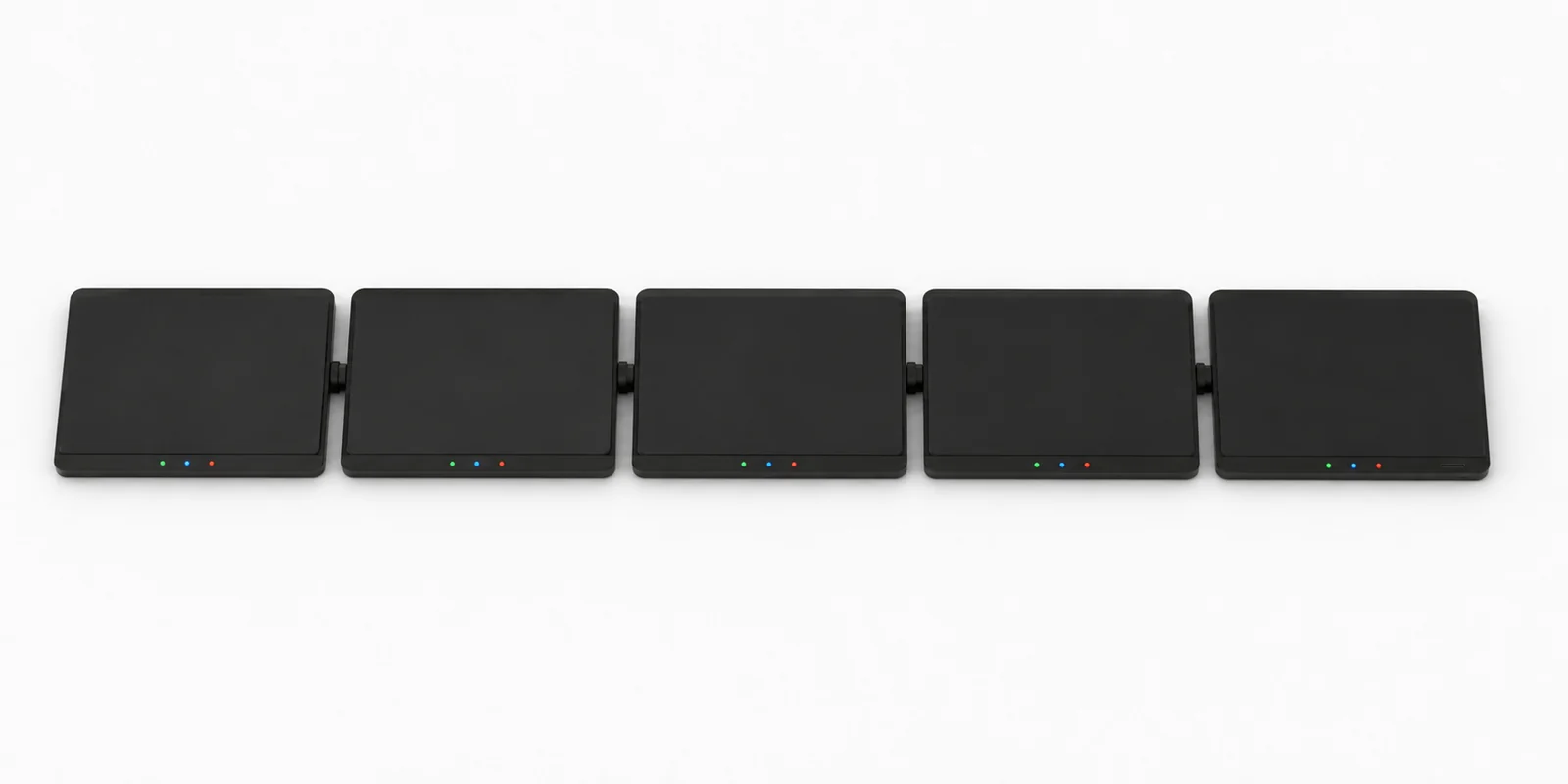
Each scale plugs into the next with a short USB-C link along the base. One cable run powers a whole shelf and carries every count back — no wiring per bin.

Power Comms Parts detected
Step 02

Connect the shelf to the Portal.

Run one cable from the end of the chain to the Portal. It powers the scales and collects the count from each bin. One Portal handles up to 127 scales.

1 cable per shelfUp to 127 bins
Step 03

Put it on your network, or on a Display.

Plug the Portal into your network to see stock from any device, or connect a Display to read the bins right at the rack. Use either, or both.

Ethernet or Wi-FiDisplay at the rack
Step 04

Monitor stock levels in the app.

Every bin shows its quantity on hand in one screen. Check what is running low, reorder before it stops the line, and skip the stocktake.

All bins, one screenLow-stock alerts
One bin to the whole store

Start with one shelf. Scale to the full store.

Same scales, same app, same connection. Add bins as you go — there is nothing to reconfigure and no software upgrade when you grow.
127
Bins per portal
1
Cable per shelf
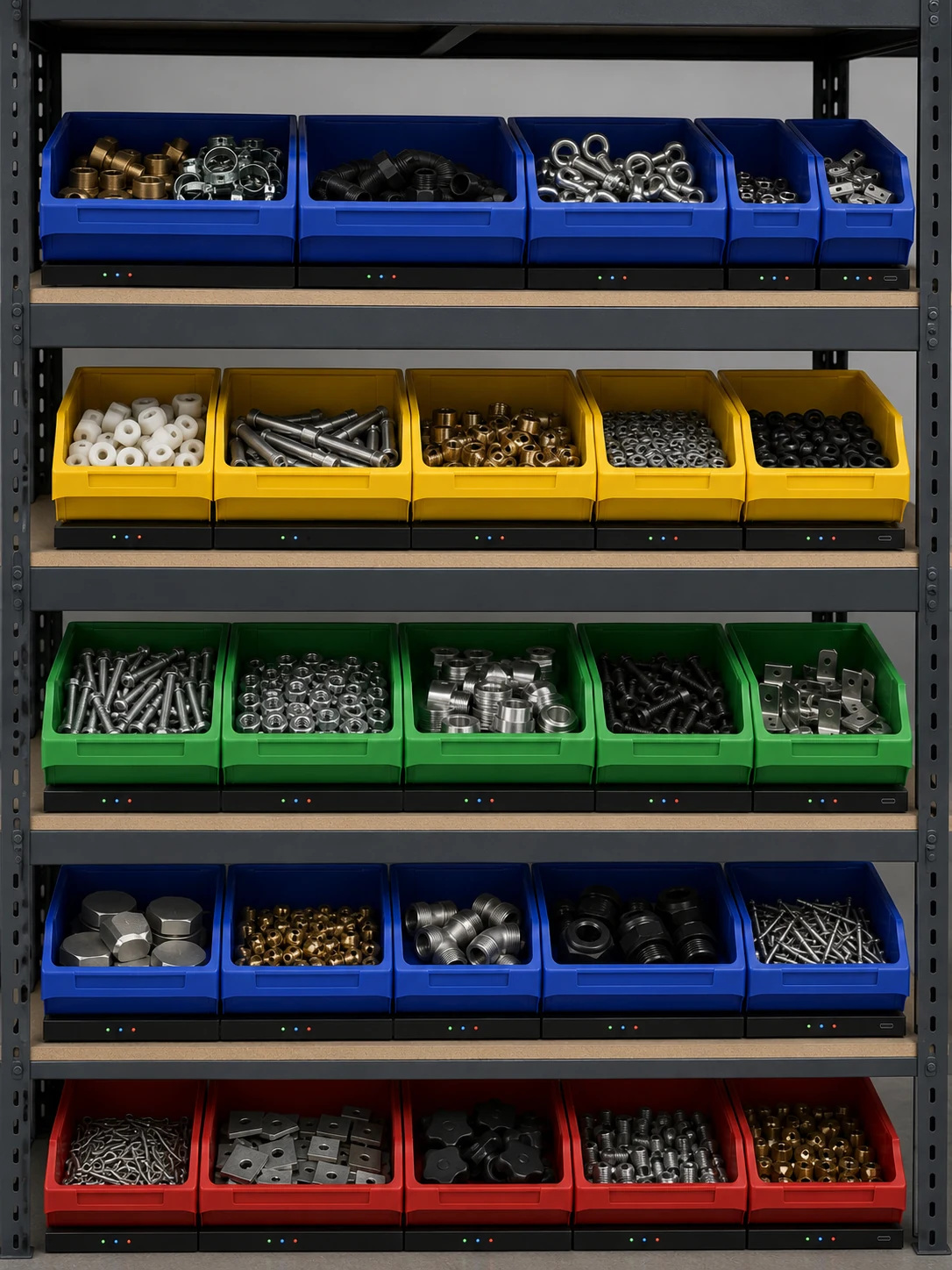
A full storage rack of coloured bins across five shelves, each bin sitting on a scale with lit LED indicators
Five blue bins filled with sorted parts, each on its own scale showing data on screen
The app

Every bin on one screen.

A cloud portal you open in a browser — phone, tablet or desktop. See what is in stock, what is running low, and what needs reordering. Connects straight to your ERP so stock records stay accurate without re-keying.

See it running on your own bins.

Tell us the parts you hold and we will put together a system that fits your store.

The product
01 / The scale

A scale that sits under each bin.

A slim scale slides under any standard storage bin. It counts the parts inside by weight and reports the number to the app — without changing your racking, your bins, or the way the line picks.

18 mm profileFits standard bins
02 / In use

Load the bin as normal.

Parts go in and out the same way they always have. The scale reads the total weight continuously and turns it into a part count — one scale per bin, as many bins as the store needs.

One bin, one scaleContinuous read
03 / Data

Weight and part count, bin by bin.

Set the weight of a single part once. The scale reports how many are inside — from two heavy castings to five hundred washers. Each unit reads independently and reports through a single connection.

2 to 500+ parts1 read / second
04 / Sizes

Sized and rated to your parts.

Choose the footprint to match the bin and the capacity to match the parts, from light fasteners to heavy components. Both size and capacity are built to order.

Any bin sizeLight to heavy parts

Ready to see it on your bins?

Select the scales and accessories you need and we will build a quote around your store.

Technical specifications

The full range, in one matrix.

Platforms are specified by footprint and capacity. Pick the size that matches the bin and the capacity that covers the parts inside — every combination below is a standard build, and anything beyond it is made to order.

Platform matrix — model code / weighing resolution
Footprint 5 kg 10 kg 20 kg 30 kg 50 kg
Compact 210 × 150 mm
MBS-C05±5 g
MBS-C10±10 g
MBS-C20±20 g
MBS-C30±30 g
MBS-C50±50 g
Standard 300 × 200 mm
MBS-S05±5 g
MBS-S10±10 g
MBS-S20±20 g
MBS-S30±30 g
MBS-S50±50 g
Large 420 × 260 mm
MBS-L05±5 g
MBS-L10±10 g
MBS-L20±20 g
MBS-L30±30 g
MBS-L50±50 g
Wide 600 × 230 mm
MBS-W05±5 g
MBS-W10±10 g
MBS-W20±20 g
MBS-W30±30 g
MBS-W50±50 g
Custom Made to order Custom footprint and capacity — contact us with your bin dimensions and part weights

Part-count accuracy depends on the weight of a single part relative to the platform resolution. Heavier parts count reliably on higher-capacity platforms; light parts are best matched to a 5 or 10 kg unit.

Scale specifications All models

  • Profile height: 18 mm
  • Housing: glass-filled nylon deck, powder-coated steel base
  • Indicators: 3 × LED — power (green), comms (blue), parts detected (red)
  • Sample rate: 1 reading / second
  • Connectivity: USB-C (power + data), daisy-chained scale to scale
  • Devices per portal: up to 127
  • Power: 5 V via USB-C, supplied by Portal or Display
  • Ingress protection: IP54
  • Operating temperature: 0 – 50 °C
  • Data output: web app
  • Country of origin: Australia

Portal MBS-PORTAL

  • Network interface for one chain — Ethernet and Wi-Fi
  • Puts live counts on your network and into the app
  • Powers and reads up to 127 scales
  • USB-C downstream to the first scale

Display MBS-DISPLAY

  • 10.1″ touchscreen showing live counts at the rack
  • Drives a chain directly — no separate Portal required
  • Powers and reads up to 127 scales
  • USB-C downstream to the first scale

Every chain needs at least one Portal or one Display. Add a Portal for network and app reporting, a Display for a standalone read on the floor, or both.

Setup options

Two ways to read the chain.

Run the chain onto your network through the Portal, or connect a Display for a standalone read at the bench. Either way, one Portal serves the whole chain.

Diagram of two setups: networked setup with scales connected to a Portal via USB and to a monitor over Ethernet, and local display setup with a Display connected directly to the Portal
StockMonitor

Complete inventory visibility from a browser.

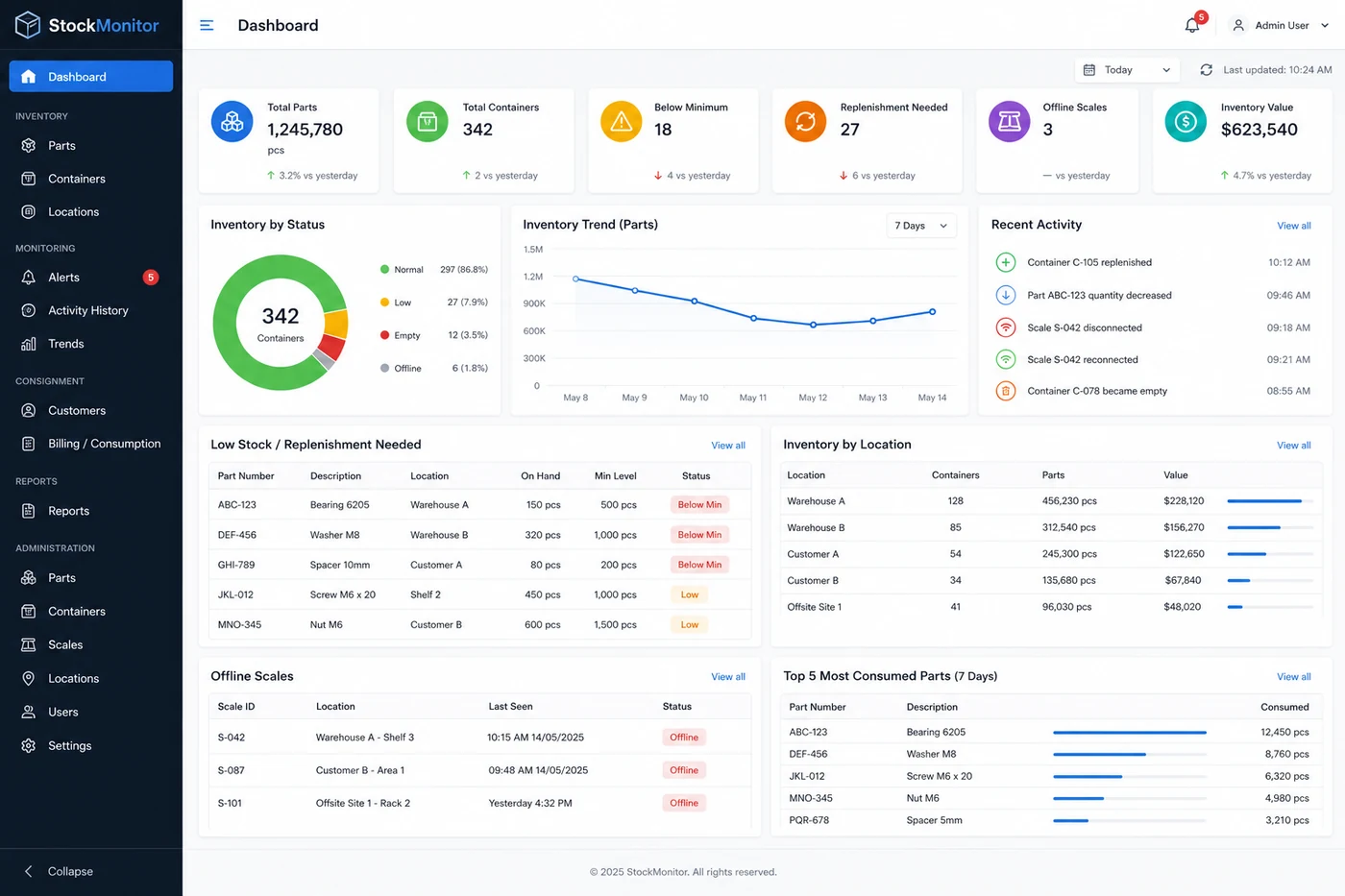
A cloud portal that turns scale readings into a live inventory system. Dashboard, alerts, trends, consignment tracking and ERP connection — all in a browser, nothing to install.

StockMonitor dashboard showing total parts, container status donut, inventory trend chart, low stock table, and recent activity feed
Dashboard — total parts, container status, inventory trend, low-stock items and recent activity at a glance.
Core features

Everything the floor and the office need in one place.

Dashboard

Full picture at a glance

Total parts, number of containers, bins below minimum, offline scales, inventory value and changes today — all on one screen with recent activity.

Inventory

Parts, containers and locations

Browse by part number, description or location. See on-hand quantity, total weight, unit weight, min/max levels, percentage full and status for every container.

Alerts

Know before the line stops

Below-minimum, empty, offline, rapid decrease, unexpected weight change and container-removed alerts. Acknowledge each one so nothing gets missed.

Trends

See how stock moves

Total inventory over time, daily consumption, most-used parts, slow-moving stock and inventory by location — all as charts you can filter by date range.

Activity

Complete audit trail

Chronological log of every replenishment, quantity change, scale disconnect and empty event. Filter by date, part, container, location or customer.

Locations

Grouped by where they sit

Organise containers by physical location. Each location shows its container count, total parts, low-stock items and last activity.

StockMonitor location view showing stock levels table with part numbers, quantities, status and percentage-full bars
Location view

Drill into any warehouse, shelf or customer site.

Filter by status, category or part number. See on-hand quantity, min and max levels, percentage full with a progress bar, and the last time each container was updated — all in one sortable table.

Consignment and billing

Track what your suppliers own and what your customers use.

Consignment

Supplier-owned stock

Current inventory, parts consumed, remaining stock, inventory value, last replenishment and full stock history — by customer or supplier.

Billing

Consumption for any period

Opening quantity, quantity used, closing quantity, unit price and total value. Export to PDF, CSV or direct to your accounting system.

Reports

Ready-made and exportable

Current inventory, low stock, empty containers, inventory by location or customer, consumption history, valuation, movement history and offline scales.

Unique to weight-based monitoring

A complete inventory timeline, not just a snapshot.

Continuous measurement means you can see exactly when stock changed, when containers were replenished, and what the stock level was at any point in time — not just the last time someone scanned a barcode.

ERP connection

Send the counts straight to your ERP.

Bin counts update the same stock records your purchasing already runs on. No double handling, no re-keying, no separate spreadsheet.

If your system is not on the list, the API covers it. Tell us what you run and we will confirm the connection before you order.

Ways to connect MBS-CLOUD

  • Standard connectors for common ERP and inventory systems
  • REST API for counts, minimum levels and container status
  • Webhooks that fire when a container drops below its minimum
  • Scheduled CSV export for reporting and stocktake records
  • Read-only access for suppliers running consignment stock
  • PDF and CSV billing exports by period
Administration

Set it up once, then let it run.

Manage

Parts

Part numbers, descriptions, unit weights, min/max levels and reorder points.

Manage

Containers

Assign parts to containers, set capacity and track by container ID.

Manage

Scales and locations

Map each scale to a container and each container to a physical location.

Manage

Users and notifications

User accounts, access levels, and notification rules for alerts and thresholds.

See it running on your own bins.

Tell us the parts you hold and we will show you the count in the app.

Request a quote

Build your configuration.

Tick the platforms and accessories you need, set quantities, and add your details. We will confirm sizing against your bins and respond with a quote within one business day.

Bin platforms

Size · capacity · qty

Accessories

Required per chain
Portal MBS-PORTAL · network interface
Display MBS-DISPLAY · 10.1″ touchscreen

Your details

So we can reply

Quote request sent.

We have received your request and will respond within one business day. Here is a summary of what was sent.


Legal

Privacy policy

Last updated: July 2026

Who we are

Maxi Bin Solutions ("we", "us", "our") is an Australian company that manufactures bin inventory monitoring hardware and operates the StockMonitor cloud portal. Our contact email is sales@maxibinsolutions.com.

What data we collect

When you use this website we may collect:

Information you provide — your name, company name, email address, phone number and any notes you include when requesting a quote.

Information collected automatically — pages you visit, links you click, your browser type, screen size, approximate location (country/region level) and referring URL. This data is collected through Google Analytics 4 and is used in aggregate to understand how people use the site. Google Analytics may set cookies on your device. You can opt out at tools.google.com/dlpage/gaoptout.

How we use your data

We use quote request data to respond to your enquiry and to prepare a proposal. We use analytics data to improve the website. We do not sell, rent or share your personal data with third parties except as necessary to operate this website (hosting via Vercel, DNS via Cloudflare, analytics via Google).

Cookies

This site uses cookies set by Google Analytics to distinguish users and sessions. These are first-party cookies stored on your device. You can block cookies in your browser settings or use the Google Analytics opt-out extension linked above.

Data storage and security

Quote request data is delivered to us by email. The website is hosted on Vercel with DNS and CDN through Cloudflare. Analytics data is stored by Google under their data processing terms. We do not store your personal data on servers we control beyond our email systems.

Your rights

You can contact us at any time to request access to, correction of, or deletion of your personal data. If you are in Australia, the Australian Privacy Principles under the Privacy Act 1988 (Cth) apply. Contact sales@maxibinsolutions.com with any privacy requests.

Changes to this policy

We may update this policy from time to time. The "last updated" date at the top of this page will reflect the most recent revision.